
Aerial Mapping with Drones: Tools, Software, and Workflow
Aerial Mapping sounds complex. It really doesn’t have to be. At its core, it’s just about collecting images from above and turning them into something useful: maps, models, measurements you can actually work with. Drones have made this faster, cheaper, and way more accessible than old-school methods. But tools matter. Software matters. And the workflow matters most. If you skip steps or rush the process, the results show. This guide breaks it all down in plain language, without the buzzwords, so you know what actually works in the real world.
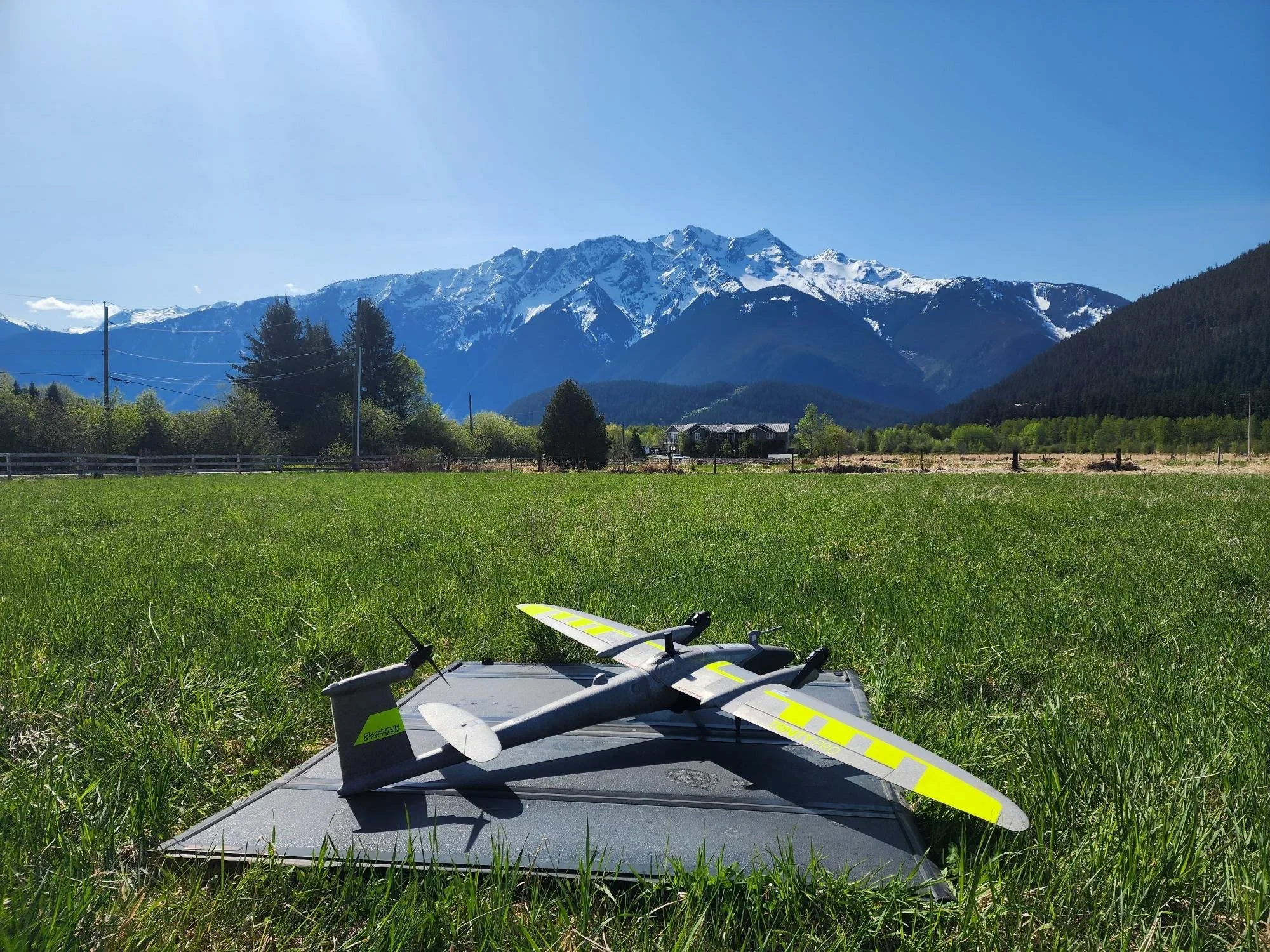
The Right Drone: Start Simple, Then Scale
You don’t need the most expensive drone on day one. That’s a myth. What you need is stability, good battery life, and a camera that doesn’t freak out in changing light. Multirotor drones are usually the go-to for mapping smaller areas. They’re easy to fly and forgiving. Fixed-wing drones come into play when the area gets big, think miles, not acres.
The biggest mistake people make? Buying hardware before understanding the job. Mapping a construction site is not the same as mapping farmland or a transmission corridor. Choose based on use, not hype.
Sensors Matter More Than You Think
The camera is where things get real. RGB cameras are enough for most basic mapping jobs. They are cheap and simple to comprehend. However, when you need high precision of elevation, plant health or heat information, you go to LiDAR, multispectral or thermal sensors.
This is the moment when Aerial Mapping ceases to be mere fused pictures and turns into genuine data. Better sensors give you cleaner outputs, less guesswork, and fewer redraws. They also demand better planning. No shortcuts here.
Software: Where Raw Images Become Reality
Flying is the easy part. Processing is where people get stuck.
Mapping software takes hundreds or thousands of images and turns them into orthomosaics, 3D models, and surface maps. Some tools are cloud-based. Others run locally. Both work. What matters is consistency and knowing what settings to touch and what to leave alone.
Good software saves time. Bad settings waste days. Spend time learning this part. It pays off fast.
Flight Planning Is the Workflow Backbone
This is where most mapping projects succeed or fail. Flight planning decides altitude, overlap, speed, and direction. Miss one detail and the whole dataset suffers.
For drone mapping, overlap is king. Forward overlap. Side overlap. More than you think you need. Flying slower also helps. Rushing a flight usually costs more time later during processing.
Automated flight apps make this easier, but you still need to understand why the plan looks the way it does. Blind trust is risky.
Not sure your mapping setup is right?
Data Capture: Calm, Controlled, and Boring
A good mapping flight should feel boring. No sudden moves. No last-minute changes. Just clean passes and steady progress.
Weather plays a bigger role than people admit. Wind affects overlap. Clouds affect lighting. Sun angle changes shadows. All of this impacts final outputs. True Aerial Mapping means knowing when not to fly just as much as knowing how to fly.
If something feels off mid-flight, land and fix it. Re-flying is cheaper than fixing bad data.
Processing and Quality Checks
Once images are captured, the real waiting game begins. Processing can take minutes or hours, depending on dataset size and hardware.
But don’t just export and send. Check everything. Look for warping. Misalignments. Holes in data. Bad tie points. These issues usually come from rushed flights or weak overlap.
Clean data builds trust. Sloppy data burns it fast.
Accuracy, Ground Control, and Reality
If accuracy matters, and most of the time it does, ground control points are not optional. They anchor your map to real-world coordinates and reduce drift.
In professional drone mapping work, skipping GCPs is often the difference between “looks good” and “is correct.” RTK and PPK systems help, but they’re not magic. Validation still matters.
Accuracy is earned, not assumed.
Common Mistakes People Keep Making
Flying too high.
Not enough overlap.
Ignoring lighting.
Skipping test flights.
Over-editing data.
Most mistakes aren’t technical. They’re human. Rushing. Overconfidence. Trying to save time. Ironically, that’s what costs the most.
Mapping rewards patience and consistency. Every single time.
How We Approach Mapping at Cleartopia Solutions
At Cleartopia Solutions, we don’t treat mapping like a checkbox task. We treat it like a system. All aspects of hardware, software, planning, execution, and review are related to each other.
The principle of our work is very simple: clean data should be collected the first time, and usable outputs should be delivered. We assist groups in the selection of proper tools, creation of scalable workflows, and prevention of pitfalls that usually cause delays in projects. It doesn’t matter whether it is training, consulting, or full-service delivery; we create mapping programs that function in real life, not just on paper.
Conclusion
At the end of the day, drone mapping isn’t about the drone. It’s about decisions. Every decision, whether it’s about the altitude of the Aircraft or the parameters of the processing, manifests in the ultimate output. If everything is properly done, it will save you time, money, and stress. On the other hand, if it is not done properly, a lot of work will have to be done to get rid of the problem created. Keep the workflow tight. Respect the data. And never stop learning from each flight.
Ready to map with confidence?
FAQs
Q. What kind of things can you do with aerial mapping?
Aerial mapping is used mainly to produce accurate maps, digital models, and measurements for construction, surveying, agriculture, utilities, and planning.
Q. Which drone mapping software is the most suitable?
That mainly depends on your workflow, but the majority of the professionals use orthophoto and 3D model-supporting photogrammetry software.
Q. How accurate is drone-based mapping?
With proper planning and ground control, accuracy can reach centimeter-level results.
Q. Do I need special training to do aerial mapping?
Basic flights are easy, but professional results require training, practice, and workflow knowledge.
Q. How long does it take to process mapping data?
Small projects can take minutes. Large datasets may take several hours depending on hardware and settings.